
Motorola has officially begun rolling out the stable Android 15 update for the Edge 50 Fusion, marking a significant milestone for users of the Edge 50 lineup. After initiating beta testing in October, the company has now finalized the update, which carries the build number V1UUI35H.15-15-4 and has a hefty size of 1.92GB.
Rollout Details
The update is being released in batches, which means not all users will receive it simultaneously. It might take a couple of weeks to reach everyone, so patience is key if you haven’t seen the notification yet.
Motorola is also expected to bring Android 15 to other devices in the Edge 50 series, though timelines for these models remain unclear.
While it’s exciting to see the rollout, some users may find the two-month testing period excessive, especially given the lack of major feature additions. However, the emphasis on stability and performance optimizations indicates Motorola’s commitment to delivering a polished experience.

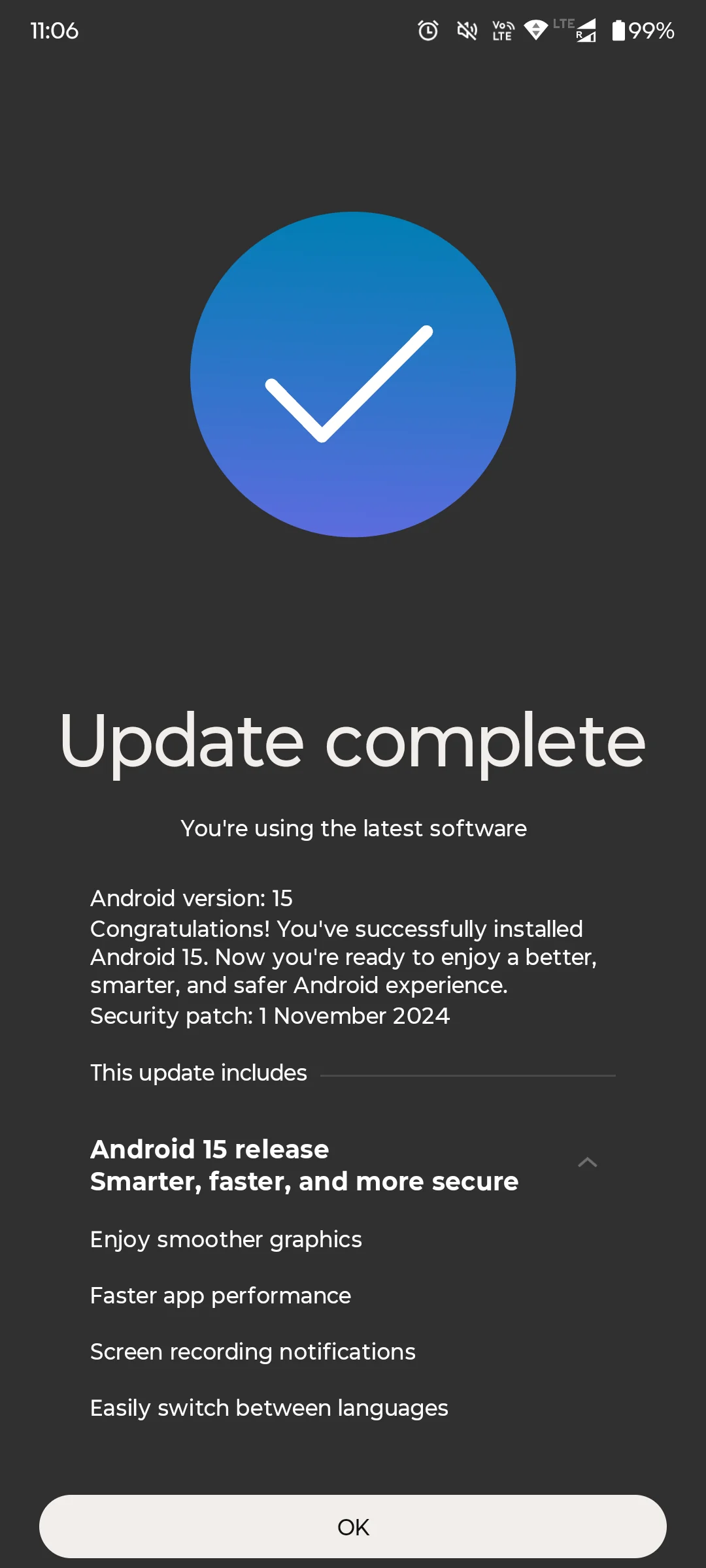
Features of the Android 15 Update for Motorola Edge 50 Fusion
Motorola’s Edge 50 Fusion Android 15 update is marketed as being smarter, faster, and more secure. Key highlights include:
- Enjoy smoother graphics
- Faster app performance
- Screen recording notifications
- Easily switch between languages
How to Check for the Moto Edge 50 Fusion Android 15 Update
If you own a Motorola Edge 50 Fusion, you can check for the update by navigating to:
Settings > System > Software Update.
Stay tuned for more updates as Motorola continues to expand the availability of Android 15 across its lineup.
