
A smart home works best when every command feels immediate and predictable. Lights respond from the wall switch and app, music follows you between rooms, and the thermostat adjusts without losing its connection. Those simple experiences depend on work that homeowners rarely see: structured wiring, careful equipment placement and custom programming.
Planning those elements early can prevent weak network coverage, delayed commands and a crowded collection of incompatible apps. It also creates a system that can grow as new rooms, devices and routines are added.
The hidden network behind every smart feature
Smart home devices need a reliable path for data. Wi-Fi handles phones, tablets and portable equipment well, but fixed devices often perform better with wired connections. Televisions, access points, controllers, security cameras and distributed audio components may all benefit from dedicated cabling.
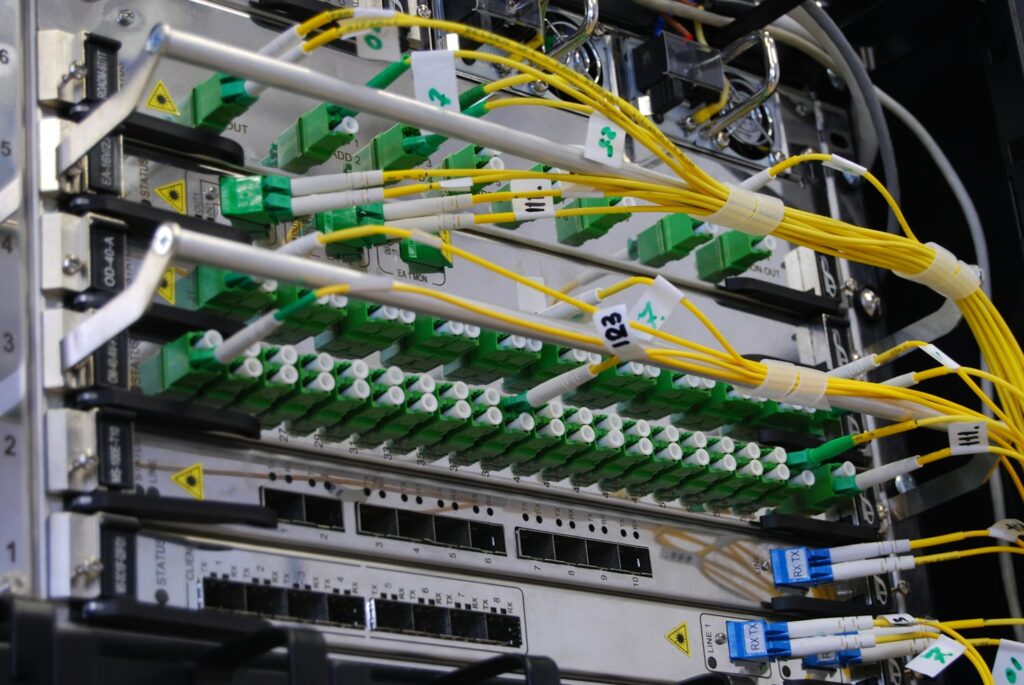
Structured wiring organizes these connections around a central location. Low-voltage cables run from individual rooms back to a panel or equipment rack, where installers can label, test and manage them. A typical installation may include Ethernet cable, speaker wire, and control wiring based on the home’s planned technology.
This centralized layout makes troubleshooting much easier. If a living room television loses its network connection, a technician can inspect the labeled cable at both ends instead of searching through an undocumented chain of adapters. The same structure allows homeowners to replace one component without disturbing every room.
Modern structured wiring systems also help reduce pressure on Wi-Fi. A wired television or network access point no longer competes with phones and laptops for the same wireless capacity. That difference becomes noticeable when several people are streaming video, attending online meetings, and using connected appliances at once.
The wiring itself should remain accessible. Avoid sealing important junctions inside walls and leave room near the central panel for future equipment. Clear labels at both ends of every cable will save hours during later service calls.
Why good planning starts before the walls close
The easiest time to install cable is during construction or a major renovation, before drywall covers the framing. Installers can reach each room directly, maintain proper cable paths and place outlets where equipment will actually sit.
Start with a room-by-room technology plan. Mark likely locations for televisions, speakers, keypads, wireless access points, thermostats and equipment cabinets. Think about how furniture will affect those positions. A wall outlet placed behind a future bookcase won’t be very useful, while a network port near a ceiling-mounted access point can support better wireless coverage.
The smart home wiring guide from CEDIA provides a useful overview of common planning considerations. One practical idea is to install extra cable to important locations. Pulling two Ethernet cables to a media area, for example, costs relatively little while the wall is open and provides a backup or connection for future equipment.
Conduit is another valuable option. An empty pathway between an equipment area and key rooms allows new cable to be added later without cutting large sections of drywall. Installers should also keep low-voltage wiring appropriately separated from household electrical lines to reduce interference and follow applicable building codes.
Existing homes still have options. Basements, attics, closets, and utility chases can provide cable routes with limited wall repair. A professional site visit can identify realistic paths before any drilling begins.
Custom programming turns devices into one system
Connected products often arrive with their own apps and schedules. Without coordinated programming, homeowners may need one app for lighting, another for climate control and a third for entertainment. Custom programming gives those devices shared commands and a consistent interface.
Consider a simple “Good Night” routine. One button could turn off common-area lights, lower selected shades, adjust the temperature, and shut down entertainment equipment. The programmer decides which devices respond, in what order, and with what exceptions. Bedroom lights might remain on for two minutes, while an outdoor light stays active overnight.
Small programming details have a large effect on daily use. A motion sensor in a hallway could bring lights to 20 percent after midnight instead of full brightness. A “Movie” command might lower shades and adjust lighting without changing the temperature. If someone manually changes a light, the system should also know when that choice takes priority over an automated schedule.
Good programming accounts for failures and unusual situations. A routine shouldn’t stop halfway because one device is offline. Physical switches should continue working when internet service goes down, and essential local controls shouldn’t depend entirely on a cloud account.
Names matter too. Labels such as “Kitchen Pendants” and “Upstairs Hall” are clearer than model numbers or installer shorthand. Straightforward room names make touchscreens and mobile controls easier for guests and family members to understand.
When professional integration makes sense
A few smart bulbs and a plug-in speaker may be easy to set up yourself. Professional integration becomes more useful when the project includes several rooms, centralized lighting, distributed audio, or multiple systems that must respond to the same commands.
Homeowners considering professionally installed Home Automation in the Chicago area can use an initial consultation to discuss Control4 integration, lighting control, thermostat management, and audio or video distribution. The conversation should focus on everyday habits before product selection begins. Explain which rooms you use most, what you want to control, and which manual controls must remain available.
Ask the integrator to document the system. Useful records include cable labels, equipment models, network details, device locations and a copy of the final programming configuration. You should also understand how updates, remote support and future service are handled.
A custom electronics firm can coordinate design decisions across wiring, controls and equipment placement. This overview of the benefits of electronics design explains why specialized planning can improve testing, integration and long-term support.
Before approving a proposal, request a clear scope that separates wiring, hardware, programming and ongoing service. Confirm what happens if construction plans change or a selected product becomes unavailable. Specific answers reduce costly surprises once installation starts.
Build routines around real household behavior
Automation works best when it reflects how people already use their home. A complicated routine that requires everyone to change familiar habits will probably be ignored. Start with repeated actions that have a clear trigger and a useful outcome.
Morning routines offer a good example. At a set time, selected shades can open, and the temperature can move toward a daytime setting. Lights might turn on only if the room is dark enough. On weekends, that schedule may begin later or remain inactive until someone presses a bedside button.
Climate routines deserve careful thought because aggressive temperature changes can waste energy or make rooms uncomfortable. ENERGY STAR offers practical smart thermostat guidance on choosing and using connected temperature controls. A sensible setup can use occupancy patterns and modest adjustments while still giving residents a clear manual override.
Keep early routines simple and observe them for a week. If the kitchen lights turn off while someone is still eating, adjust the occupancy timeout. If shades open too early during summer, change the schedule based on sunrise or room exposure. These refinements are normal parts of custom programming.
Also create an easy way to pause automation. Guests, holidays, and changing work schedules can disrupt normal patterns. A temporary “Guest Mode” or “Vacation Mode” is much easier than editing five separate schedules and trying to restore them later.
Plan for maintenance and future upgrades
Smart home technology changes, but the home’s underlying infrastructure should last through several equipment generations. Quality cabling, accessible pathways and clear documentation make future updates less disruptive.
Leave physical space in the equipment rack or wiring panel for expansion. Extra ventilation and available electrical capacity can also help when a new network switch or controller is added. Crowded cabinets trap heat, make connections difficult to reach, and increase the chance that a cable will be unplugged accidentally during service.
Software needs attention as well. Schedule updates instead of allowing every device to install new software at random. After a major update, test important scenes, wall controls, and mobile access. Keep secure backups of programming files and use unique passwords with multifactor authentication when the platform supports it.
Review the system once or twice a year. Remove unused user accounts, verify that automated schedules still fit the household, and check whether any device has become unreliable. Renovations and furniture changes may also affect wireless coverage or sensor performance.
The most durable smart homes have a clear map behind the walls and understandable logic behind every button. If the wiring is labeled, the programming reflects real routines and the documentation stays current, adding the next room or replacing an older component becomes a manageable project instead of a search through mystery cables and forgotten apps.
