
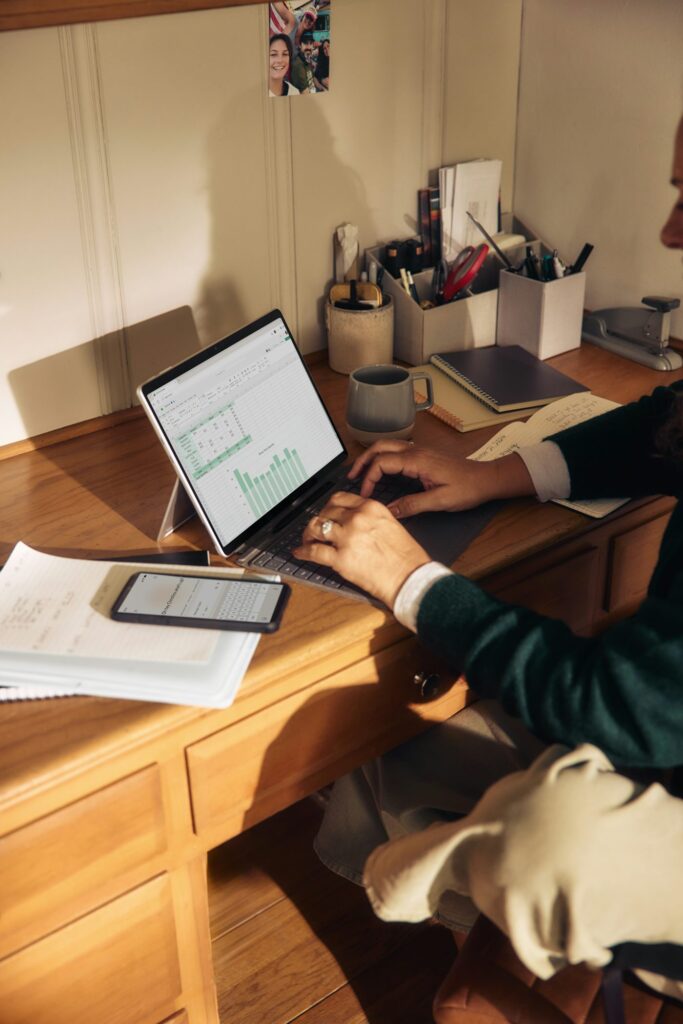
A remote work setup should support full workdays for several years without draining your budget or leaving you sore by midafternoon. That takes more thought than ordering the cheapest desk and chair you can find. You need to account for comfort, available space, equipment life and the cost of replacing poor purchases.
Start with a clear spending limit, then divide it according to how much each item affects your health and productivity. A dependable chair, suitable work surface and reliable computer usually deserve more of the budget than decorative accessories. This approach helps you build a functional workspace now while leaving room for gradual upgrades.
Calculating the Cost of Strain
Physical discomfort carries costs that rarely appear on an office shopping list. An awkward monitor position may lead to neck tension, while a chair with poor support can make it difficult to concentrate. Frequent breaks, shorter work sessions and appointments for recurring discomfort can cost far more than the initial savings from bargain furniture.
Track how you feel during a typical week before buying anything. Record when discomfort starts, where you feel it, and which tasks seem to trigger it. If your shoulders tighten after two hours, measure your keyboard and desk height. If you lean forward to read text, adjust display scaling or move the screen closer before assuming you need a new monitor.
Space also affects the calculation. Remote workers in apartments or shared rooms may benefit from reviewing ergonomic desks for small spaces before buying a large work surface that restricts movement. Check dimensions carefully and allow enough clearance for your chair, legs, and cables. A compact desk that fits your body and room can offer more practical value than a larger model that dominates the space.
Prioritizing Core Hardware Investments
List your essential equipment in order of impact. For most remote workers, the computer and internet connection come first, followed by the chair, desk, monitor, and input devices. Your job may change that order. A video editor needs a capable display and ample storage, while someone who spends the day in browser-based tools may gain more from a supportive chair and a second screen.
Use a replacement schedule to keep costs predictable. A basic IT budgeting guide can help you separate recurring expenses from occasional purchases. Include software subscriptions, cloud storage, internet service, repairs and a small replacement fund. Saving $25 per month creates $300 in a year, which can cover a peripheral failure or contribute to a future computer.
Buy equipment according to the bottleneck that slows your work today. If video calls freeze because your computer lacks memory, a decorative desk upgrade won’t solve the problem. Guidance on prioritizing IT spending applies well to a home office: fund the purchases that reduce delays, prevent downtime or improve the tasks you perform most often.
For furniture, focus on adjustability and fit. A chair should let your feet rest flat while keeping your knees near hip level. Your monitor should sit roughly an arm’s length away, with the upper part of the screen near eye level. Those basic measurements matter more than premium labels or dramatic product descriptions.
Avoiding Gimmicky Office Accessories
Small accessories can quietly consume a large share of your budget. A specialty lamp, desktop organizer and several posture gadgets may each seem affordable, but together they can cost as much as a better chair. Many also solve problems that simple adjustments would fix.
Wait at least one full workweek before buying an accessory. During that time, identify the exact issue and test a low-cost solution. Raise a monitor with sturdy books, move a lamp to reduce glare or place frequently used supplies within easy reach. If the trial improves your workday, you’ll know which product features are actually useful.
Be cautious with products that promise instant posture correction. Comfort depends on your full setup and your movement throughout the day, so one cushion or stand rarely compensates for a poorly sized desk. Check dimensions, adjustment ranges, and return terms before ordering. Customer photos can also reveal how an item fits in real rooms.
Keep your desktop simple. A monitor stand with storage may replace two separate products, while a basic cable tray can reduce clutter without covering the desk in clips and boxes. Every accessory should solve a recurring problem, fit the available space and remain useful if you rearrange the room.
Long-Term Value Over Quick Fixes
Compare purchases by annual cost, not sticker price alone. A $120 chair that becomes uncomfortable and needs replacement after one year costs more annually than a $350 chair that serves you well for five years. Apply the same calculation to monitors, keyboards and desks while considering warranty length, repair options and replacement parts.
Long-term value doesn’t always require buying the most expensive model. Refurbished business computers, open-box monitors and well-maintained secondhand furniture can stretch your budget. Test moving parts, inspect power connections, and confirm return policies before paying. For technology, check that the device still receives security updates and supports the software required for your job.
This long-term value guide offers a useful framework for comparing the full cost of an item with its immediate price. Use a similar method for your workspace by estimating expected life, upkeep and daily use. An item used eight hours a day deserves closer scrutiny than equipment needed once a month.
Plan upgrades in stages so each purchase responds to a real need. Address pain or reliability problems first, then improve convenience and appearance. Leave room in the budget for maintenance too, including replacement cables, cleaning supplies and surge protection. A remote office built this way develops around your actual work habits, and the next purchase becomes easier to justify because you know precisely which problem it must solve.
